 AI Character
3D character generator
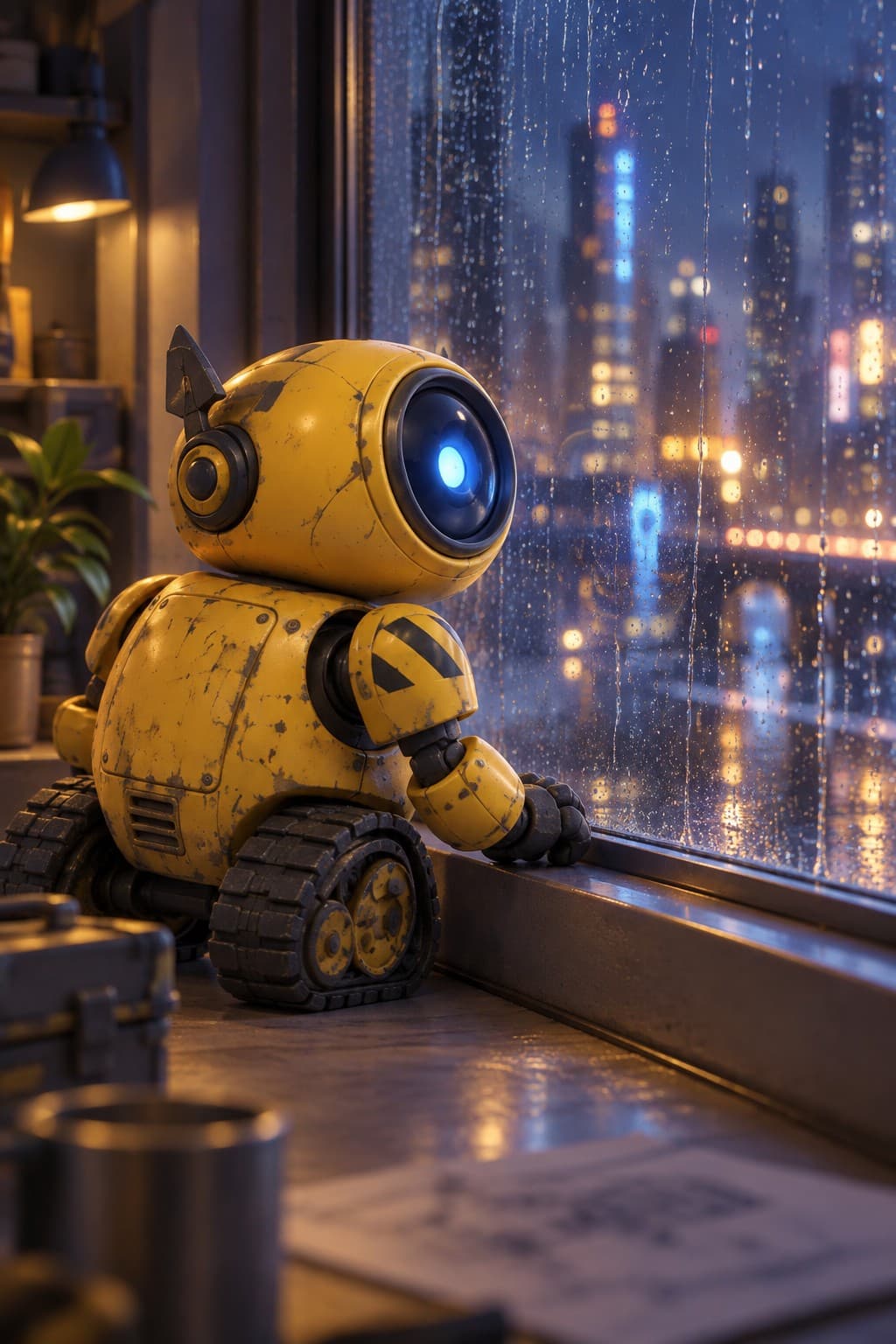
The 3D style gives you the look of a modern animated feature: rounded forms, soft subsurface skin or glossy shells, studio-grade lighting and a little depth of field. You do not model, rig or texture anything. Describe the character, get a lit turnaround sheet, and render it in as many shots as you need.
What the 3D style does well
Robots, creatures, stylised people and anthropomorphic animals all suit it. Materials matter more here than in flat styles, so name them: brushed metal, matte rubber, fuzzy felt, glossy enamel, knitted wool. Lighting cues help too: "warm key light from the left", "soft overcast", "rim light". The sheet comes back with those materials consistent across the angles.
Shots, not just poses
Because the style mimics a rendered film frame, think in shots. "Low wide shot, character small against a huge hangar door", "close-up, shallow focus, dust in the light", "over-the-shoulder, looking at a glowing console". Landscape shapes (3:2 and 16:9) make these read as film stills; portrait shapes make poster-style images. Clean quality is the sweet spot for 3D; Detailed is worth it when materials and reflections are the point.
Turning stills into clips
Animate any finished still with a simple motion: a head tilt, a blink, a gripper waving, a slow push-in. The clip starts from the frame you chose, so lighting and materials are preserved. Longer clips at higher resolution cost more per second; a 5-second 720p clip is a good first test before committing to 1080p or 4K.
Practical uses
Pitch decks for an animated short, app onboarding characters, product mascots, children's content, social explainers, and previs for a scene you plan to build properly later. The sheet is also a decent brief for a 3D artist: it already answers the silhouette, palette and material questions.
Materials and light, in practice
The 3D style rewards specific words. "Yellow" becomes much better as "glossy enamel yellow with light scuffing". "Soft" becomes "short matte felt". For people, mention skin finish ("soft matte skin", "freckles") and hair volume. For light, name a key direction and a mood: "warm key light from the left, cool fill", "overcast, soft shadows". Put these in the description for the sheet and repeat the lighting in scene prompts when it matters. The references carry the materials; the prompt carries the light.
Depth of field is a cheap way to make a 3D render feel like a film frame: ask for "shallow focus" on close-ups and "deep focus" on wide shots. Add a little atmosphere ("dust in the light", "light haze") for scale. For clips, the same words apply to the opening image, so a well-lit still becomes a well-lit clip without extra effort.
Questions
Do I get a 3D model file?
No. You get rendered images and clips in a 3D animated style, not a mesh or rig.
Can I make a robot or an animal?
Yes. Name the materials and the one feature that defines the design, such as a single lens-eye or oversized ears.
Which shape is best for film-style shots?
16:9 for wide shots and clips; 3:2 for stills with a cinematic feel; 2:3 for posters.
How long do clips take?
Usually a few minutes. The studio polls for the finished clip and plays it inline when it is ready.
More ways to use it
Start with one paragraph.
Describe the character, pick a style, and the sheet is drawn in about a minute.
Make a character